From two contacts to a sent introduction.
No new inbox, no new sending domain — SwitchBoard121 fits into how you already work.
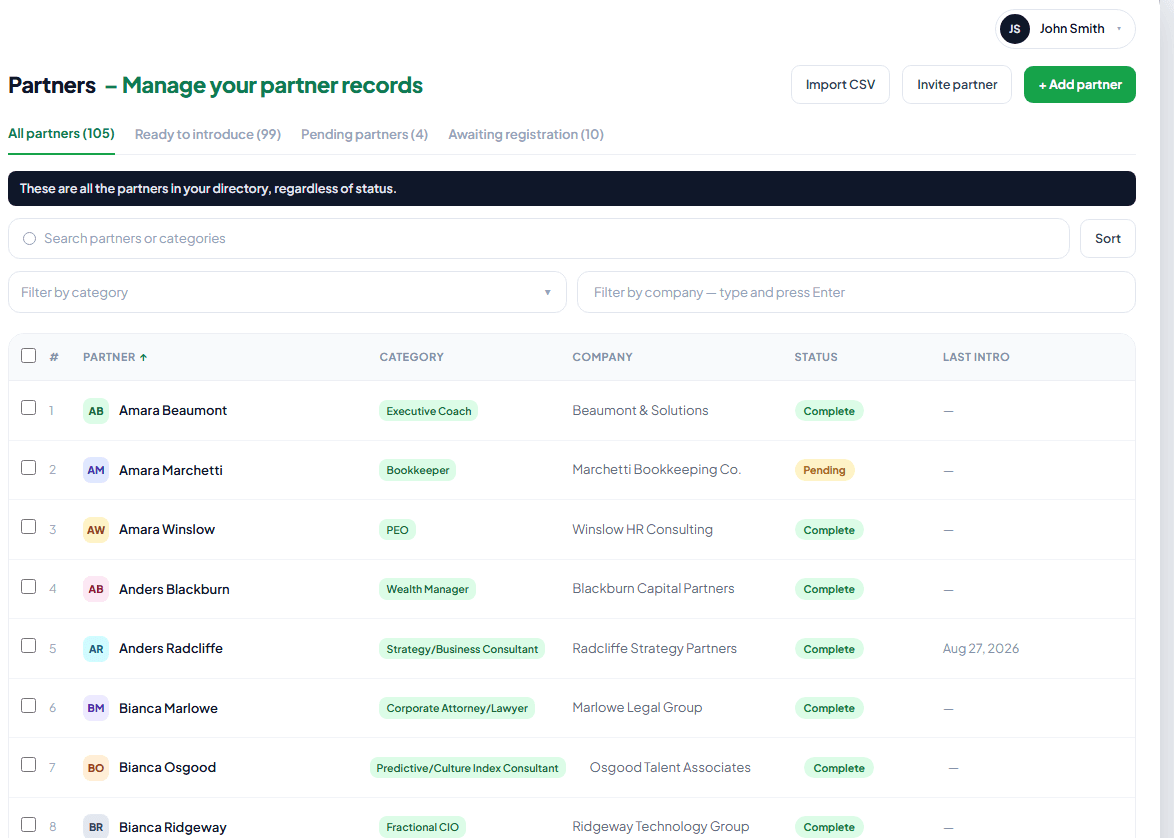
Add your referral partners
Whether you call them connectors, COIs, or referral partners, add them one at a time, or bring your whole list in at once — import from your CRM, or upload a CSV or Excel sheet. No need to do it one by one. Each partner has an introduction paragraph, in their words, describing how they'd like to be introduced — written by them, or by you if you already have it.
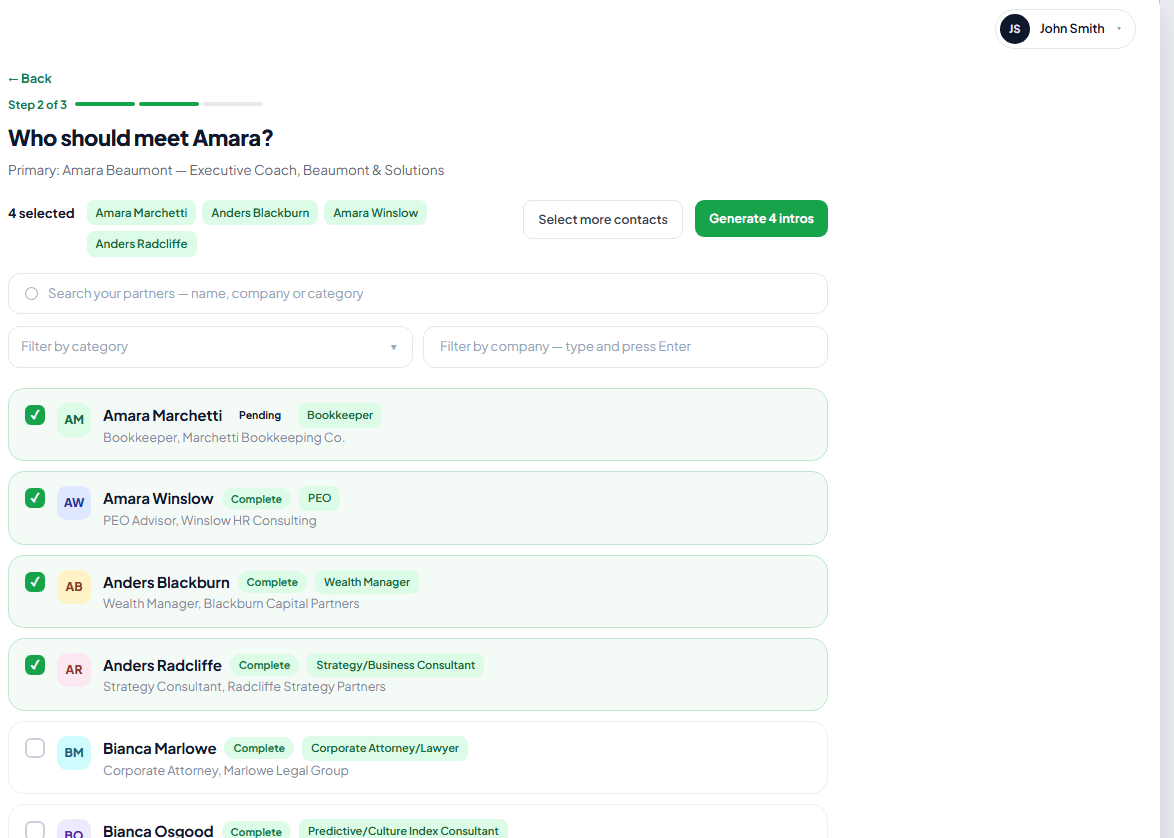
Connect one partner to many, at once
Pick one partner as the anchor, then select everyone they should meet — say, a fractional CFO who wants introductions to your accountants and your bankers contacts. Select all of them in a few clicks, and SwitchBoard121 drafts a separate two-way intro for every pairing.
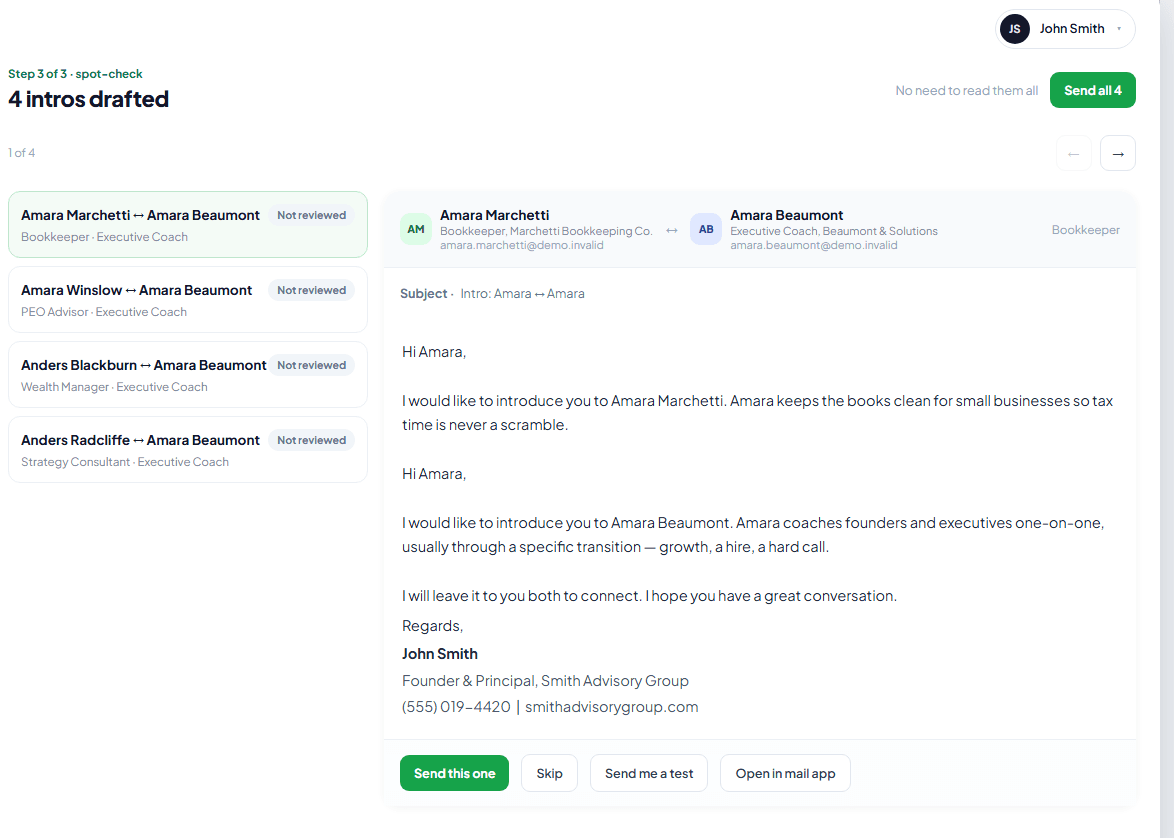
We assemble the introduction
Each partner has an introduction paragraph in SwitchBoard121 — usually written by them, in their own words, the way they want to be introduced, though you can add it yourself if you already have it. We drop both paragraphs, verbatim, into one genuine two-way intro — no rewriting — and add your signature. You review and approve before anything sends.
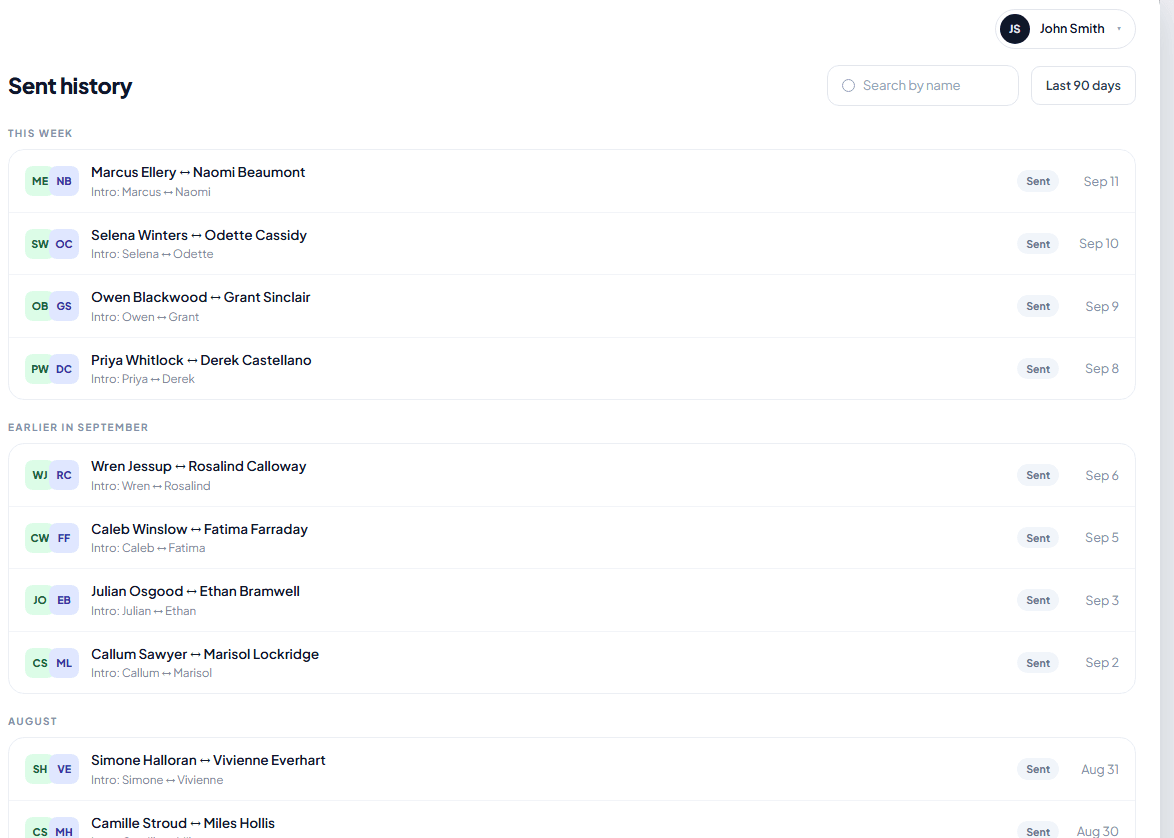
It sends from your mailbox
The introduction sends through your connected Microsoft 365, Outlook, or SMTP mailbox — including Google Workspace — not a switchboard121.com address. Replies land in your inbox, exactly like any email you'd sent yourself.
Ready to send your first introduction?
See it work with a full sample account, or start building your own list today.